To Follow Click The Blue Button

Showing posts sorted by relevance for query typing. Sort by date Show all posts

Wednesday, November 25, 2020

Typing Rocket


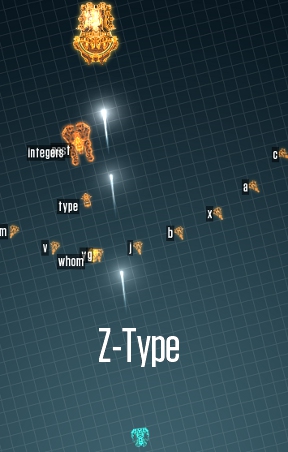
I have posted previously about typing apps/websites.  To see some of them click here.  Typing club and Z-Type are my favourites.  Typing Club will have you work on the home row.  Z-Type is a game that reminds me of Space Invaders from the '80's.  Typing Rocket might be a game that is a little less complex when compared to Z-Type and so might be better suited to newer typers that are working on the home row as opposed to hunt and peck typers.  To see the Typing Rocket website click here.


Friday, May 24, 2013

Typing Club

tpclub-ftt2
On March 1 I posted about Z-type which was a typing game similar to space invaders.  Click here to see that post.  I know there is no typing in our high school curriculum but I believe it is an important skill.  Typing Club is another free site that has great typing lessons and will keep track of your mistakes.  If you set up an account (again free) they will keep track of your progress in your profile.  There site can be found by clicking here. 


Friday, February 9, 2018

Games to Improve your Typing Skills


There are many online games to improve your typing skills.  Here are a few:

1) Z-type 


To see this site click here.

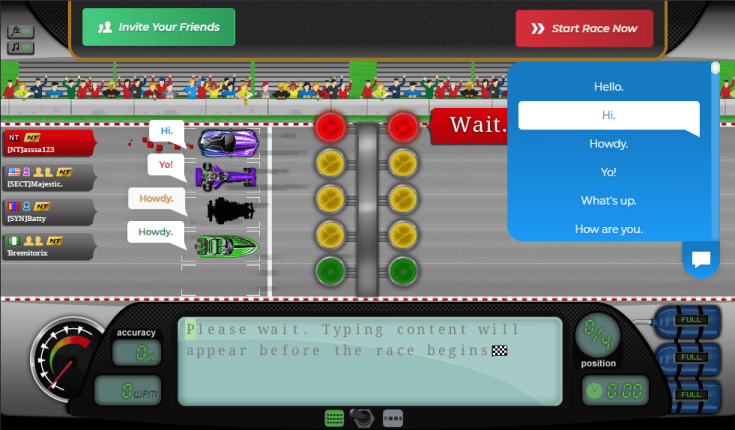
2) Nitro Type 


To see this site click here.

3) Alphabetic Rain 
To see this site click here.

4) The Typing of the Ghost Game
To see this site click here. 

5) Typing Club 
This isn't a game but a series of lessons that helps you work on just a couple of keys then build.  To see the website click here.

Friday, March 1, 2013

Z-Type

Since typing is no longer taught in high school, I found a cool game that reminds me of the old 64 bit game, Space Invaders.
The object is to shoot words as they fall by typing the appropriate letters.  Once you start a word you must finish the word.  Multiple words will fall at varying speeds.  This is good practice if you keep your fingers on the home row.  

The game can be found by clicking here.


Thursday, November 22, 2012

It's only a word

The motivation for this blog came from those blue federation shirts we have been wearing.

I wondered where the design came from.  Now I know.  (It's funny I showed my daughter this post and she said she knew about Wordle already and she is in grade 4).

wordle.net
I thought this might be something the students can use as an image for a Glog or as a teacher it can be used to preview or review a unit.  I thought of using the success criteria or learning goals for a course in a Wordle.  I decided on Food and Nutrition HFA4M and the unit on Diversity, Interdependence and Global Connections. This was page 64 of the Ministry of Ontario's curriculum document for Social Sciences for grade 11 and 12.   Using a few key words this is what I obtained after typing them into the text box after hitting create.
Now to demonstrate a point, I copied and pasted the whole page from the Ministry document into Wordle and this is what I obtained.
Notice what words stick out. The more times a word shows up in your list, the larger it is in the Wordle.   You can read the FAQ to explain sizing etc.  Also note Wordle has given you free rights to use your Wordle for whatever you would like to use it for.  You can even make money off of them as designs for shirts.  The downside of Wordle is that if you want a digital copy of your Wordle you must take a screen shot of it (hit Ctrl and Print Screen simultaneously) and then paste it into, say, Paint and then save it.

You can also go to the top banner and pick Gallery to see other peoples Wordles.  Here are a couple  I thought were good for educators.  The first was titled Healthy Eating.

This one was called Ecosystems.

The last one was called Rock Cycle.
The problem with the gallery is that you can't search it digitally.  You must just keep hitting the "Older>>" button.  Oh well at least it is free.

Monday, September 21, 2015

Mathchat


Edusurge says "MathChat helps students help each other. Teacher Sam Woodard noticed that when students didn’t understand a math problem, they would text a photo of it to a friend to get help. On MathChat, students can enter or draw a math problem, add friends to it, and collaborate by drawing, typing, and asking each other follow-up questions"


The app is free for the iphone and ipod.  It can be downloaded from the Itunes store by clicking here.